
Fabrika module · Sequencer
Does changing priorities take printouts and phone calls?
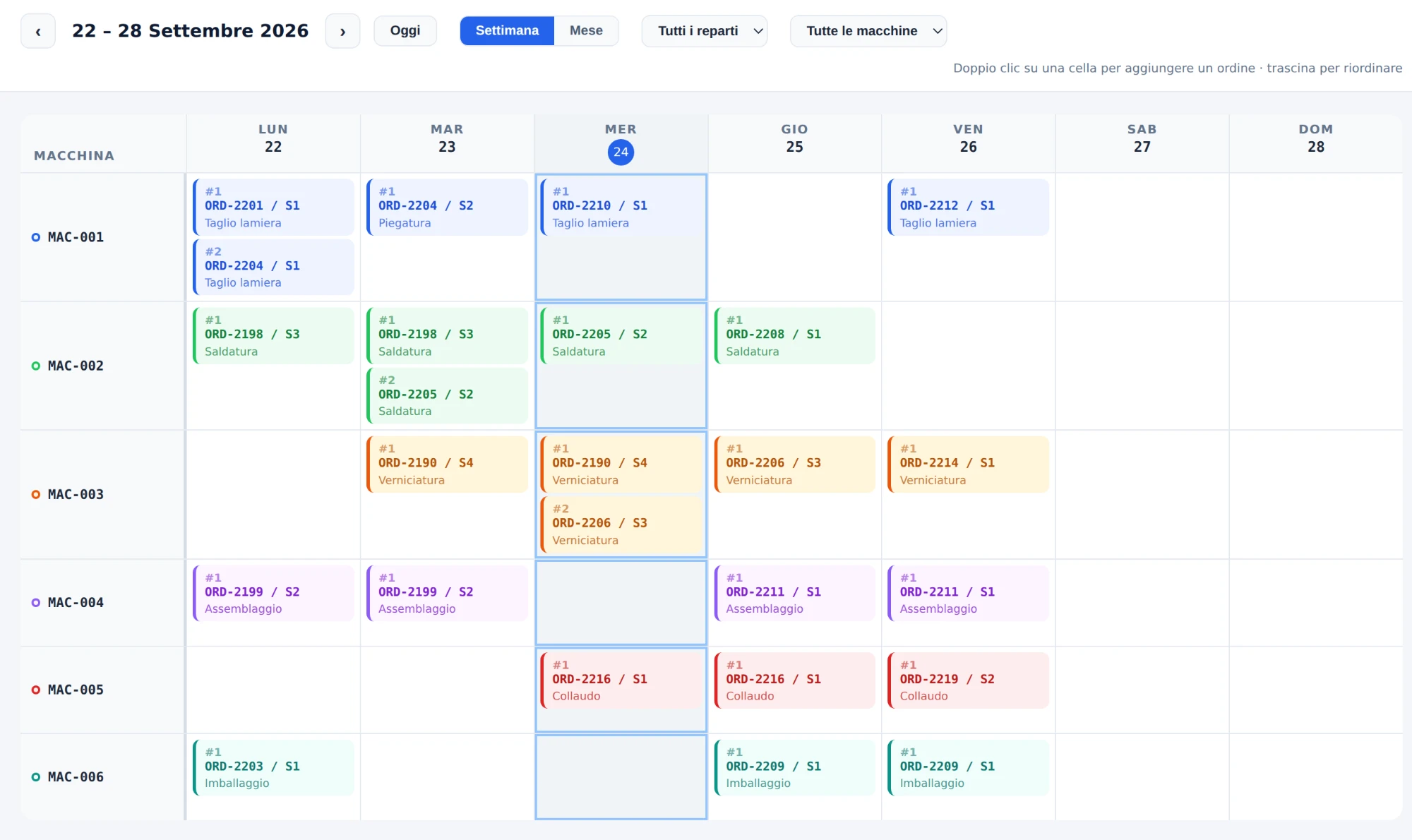
Sequencer lets the planner arrange orders in each machine's calendar and makes the updated sequence immediately available to operators.
Do these situations sound familiar?
- The production sequence lives in a spreadsheet that has to be reprinted at every change.
- When a priority changes, getting the message to the shop floor depends on who is available at the time.
- Operators work from a list that is no longer the one decided in the office.
- It is hard to see the effect of an urgent order on the rest of the workload.
How Sequencer works.
- 1
Receives orders from the ERP
Production orders arrive from the company's management system with no manual re-entry.
- 2
The planner defines the sequence
Orders are arranged in the calendar of each machine or line according to the chosen priorities.
- 3
The sequence reaches the machine
Operators immediately see the updated queue on the shop-floor interface.
- 4
Changes spread instantly
A change of priority is visible on the shop floor without printouts, phone calls or word of mouth.
Information available
- Order queue for every machine and line
- Order currently in progress and the next ones in sequence
- Effect of an urgent order on the scheduled workload
Decisions supported
- Which order to put on the machine first
- How to reallocate the workload when a priority changes
- Where queues build up compared with available capacity
Who uses it every day
- Planners and scheduling office
- Production manager
- Department supervisors
- Machine operators
Dependencies and integrations
Sequencer is added to Fabrika Production, which provides the shop-floor interfaces on which the sequence is made available.
It receives production orders from the company ERP and returns the progress recorded in production.
Fabrika module
It starts with a pilot project.
The pilot starts from the machines or lines where scheduling is most critical, to check the ERP-sequence-shop floor flow before extending it.
See how we workLet's start from what happens in your factory today.
Tell us which process you want to control or improve. In the initial conversation we will assess together whether Sequencer is the right starting point.
The other modules
All modulesProduction
Real data from machines and operators, synoptic view and communication between office and shop floor.
Margin Driver
Margin loss, simulation of improvement actions and payback.
Quality Control
Control plans and digital records during production.
Maintenance
Scheduled work, breakdown calls, tasks and spare parts.
Traceability
Batches and materials traceable across production phases.